
Anti-Subscriptions for PC, iOS & Android
Try Anti-Subscriptions with no commitment
No credit card or any other payment method required.
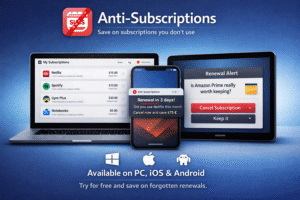
With this app, you can save dozens of euros each year
by avoiding automatic renewals of subscriptions you didn’t plan to keep.
📱 Compatibility: Works on iOS & Android, as well as most browsers: Chrome, Edge, Brave, Opera, and Vivaldi.
⚙️ How it works
-
Go to Ecomonedas.com/… and add a subscription name and renewal date.
-
The browser will save this data automatically. 💡 Tip: To return quickly, just type “Ecom…” in your address bar and let it autocomplete instantly.
⚠️ Important: Information is stored solely in your device’s browser. If you switch phones or browsers, please use the “Save Copy” and “Restore” buttons to avoid losing your data.
💳 Voluntary Contribution — One-time payment: €5
If you find the app useful, you can contribute €5 via card, bank transfer, or PayPal.
Card payment (Stripe) Card, Apple Pay, Bancontact, EPS, Klarna, Link, and Amazon Pay 👉 https://buy.stripe.com/28EaEX6ILguwaEA2Db5Rm00
Bank Transfer BBVA IBAN: ES50 0182 1008 7302 0167 7176
PayPal 📧 PrimalSpain@gmail.com
🎁 Sharing
Once purchased, you can gift this app to friends and family at no extra cost. The app can help them save money by notifying them of automatic subscription renewals they didn’t intend to renew.
Note If you buy Anti-Subscriptions, you can gift it to friends and family. But if the app was gifted to you, please do not share it with others without buying it first. Thank you for respecting this usage agreement.
Compatibility and Operation
The application works on mobile phones, both iOS and Android. It is also compatible with the vast majority of modern browsers, including: Chrome, Edge, Brave, Opera, and Vivaldi.
New: You can now switch the currency between Euro (€) and Dollar ($) simply by tapping on the total amount or the corresponding button.
Alerts and Reminders
Anti-Subscriptions is an app that runs directly in your browser. For security reasons, it does not send system notifications if the browser is closed.
Solution: We have integrated the Calendar Alarm feature. When creating a subscription, check the “🔔 Create reminder” box or tap the bell icon. This will automatically open your agenda (Google Calendar / iOS) to save a real reminder that will sound on your phone, even if the app is closed.
Data Storage and Backups
Data is automatically saved in each browser’s local memory.
💾 Backups
The app includes two buttons at the bottom of the screen: “Save Copy” and “Restore”. This solves the problem of changing devices. You can download a file with your data and load it onto another phone or browser so you don’t lose your information.
Please note:
-
Without a backup, Chrome data cannot be seen in Safari, nor mobile data on a computer.
-
If you don’t back up, the information remains only in the browser where you wrote it.
🛡️ Security and Privacy
Total privacy. All information is stored locally on your device’s memory. This application works without connecting to any database: we do not send or store your data on external servers or the cloud.
✅ If the user returns using the same browser, their data is still there.
❌ It does not work in the following cases:
-
Guest Mode / Incognito Mode: These do not keep data upon closing.
-
Automatic clearing: If your browser is set to “Clear cookies and site data when closed,” you will lose the information (unless you use the “Save Copy” feature before exiting).
⚠️ May present issues with:
-
Mozilla Firefox: Enforces very strict local storage policies.
-
Tor Browser: 🚫 Not compatible (intentionally blocks storage).
Inquiries by WhatsApp: (+34) 627 61 92 66